
From BMS data to an OSE report — automatically.
Connect your Building Management System, automate the required calculations, review performance from a dedicated dashboard, and generate the standard OSE report from one controlled application.
Reduce the manual work behind every reporting cycle.
Instead of repeatedly exporting BMS trends, arranging data, recalculating parameters and populating the report manually, the application keeps the complete workflow connected.
Less manual extraction
Required operational data can be collected and stored in the OSE database.
Consistent calculations
Configured calculation logic is applied systematically for each reporting period.
Repeatable report generation
Generate the standard report using stored data, calculated values and site information.
A connected OSE workflow
Configure the site once, then move through a consistent data-to-report process for every reporting period.
Everything required to move from raw BMS data to an actionable OSE report.
The application combines data collection, configuration, calculations, visualization and report generation in one purpose-built workflow.
BMS Data Integration
Bring required system values into a dedicated OSE database for structured processing.
Automated Calculations
Calculate performance parameters using mapped BMS points and configured equations.
OSE Dashboard
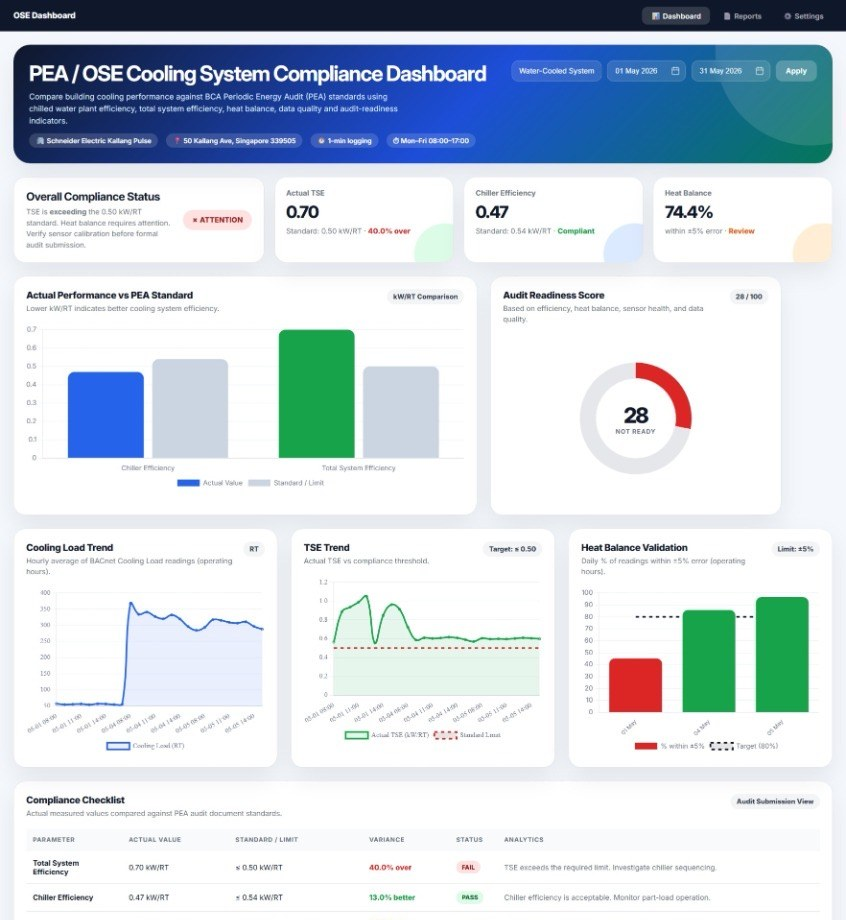
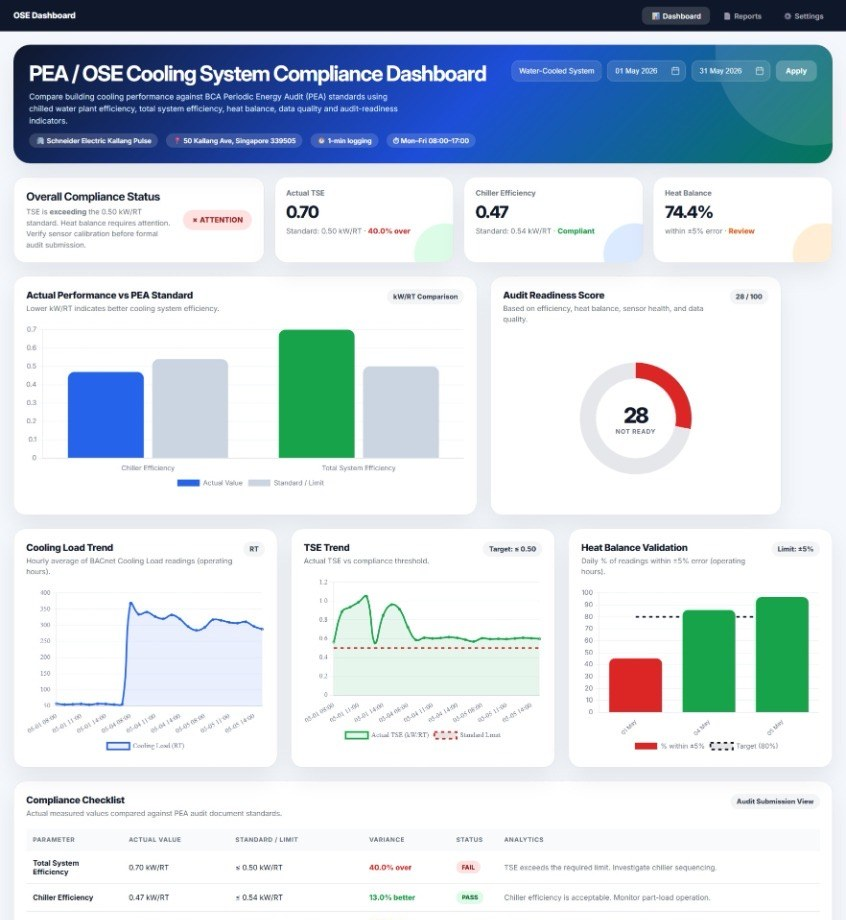
Review KPIs, trends, heat balance and compliance information without opening the report.
Word Report Generation
Populate the standard OSE report for the selected reporting period.
Site Configuration
Maintain audit details, plant information, instrumentation and data-point mappings.
Reusable Workflow
Reuse the configured setup for weekly, biweekly or monthly reporting cycles.
See the report story before opening the report.
The dashboard turns calculated OSE parameters into an immediately understandable view of system performance and audit readiness.
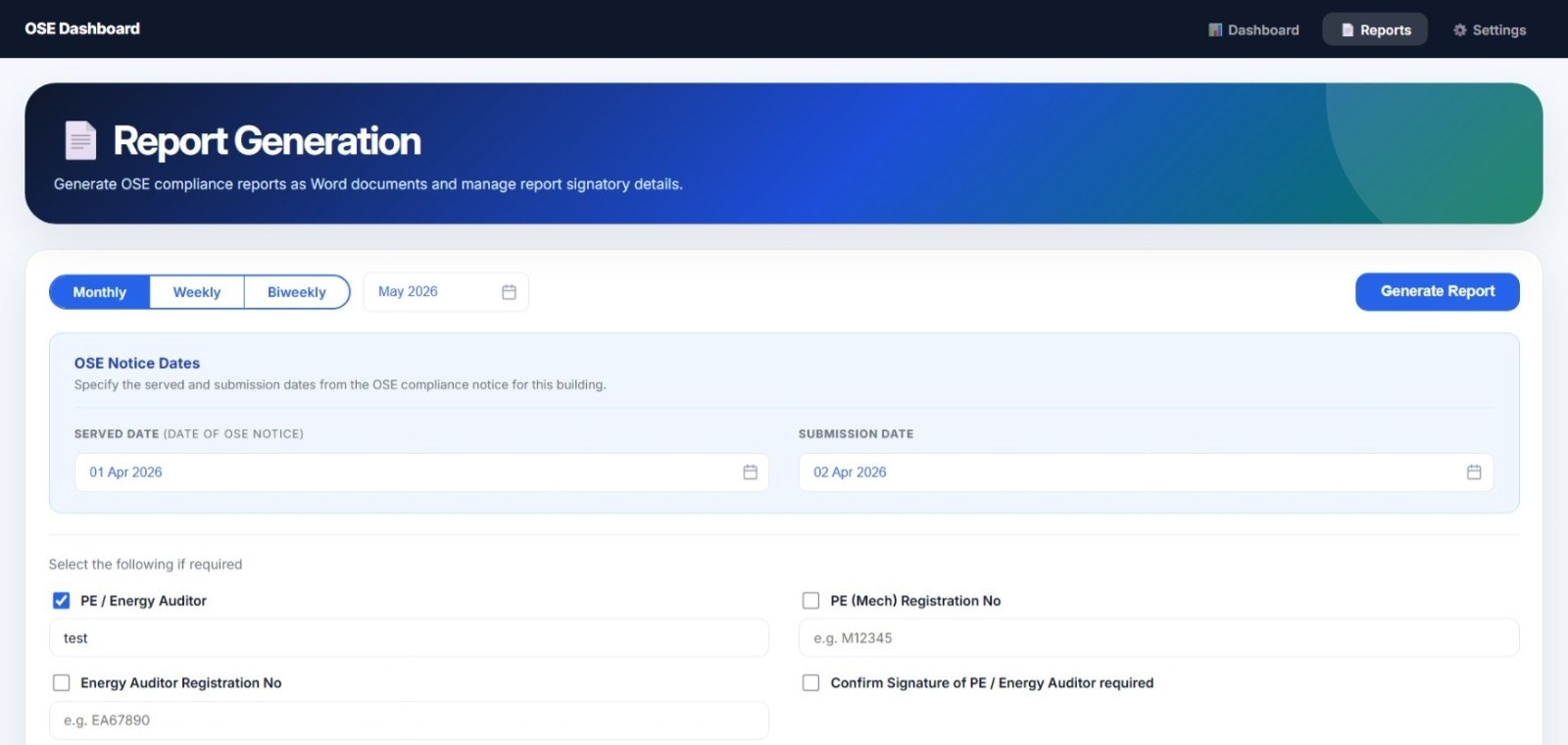
Generate the standard OSE report from the configured workflow.
Select the reporting frequency and period, maintain the required notice and signatory information, and generate the OSE report as a Word document.
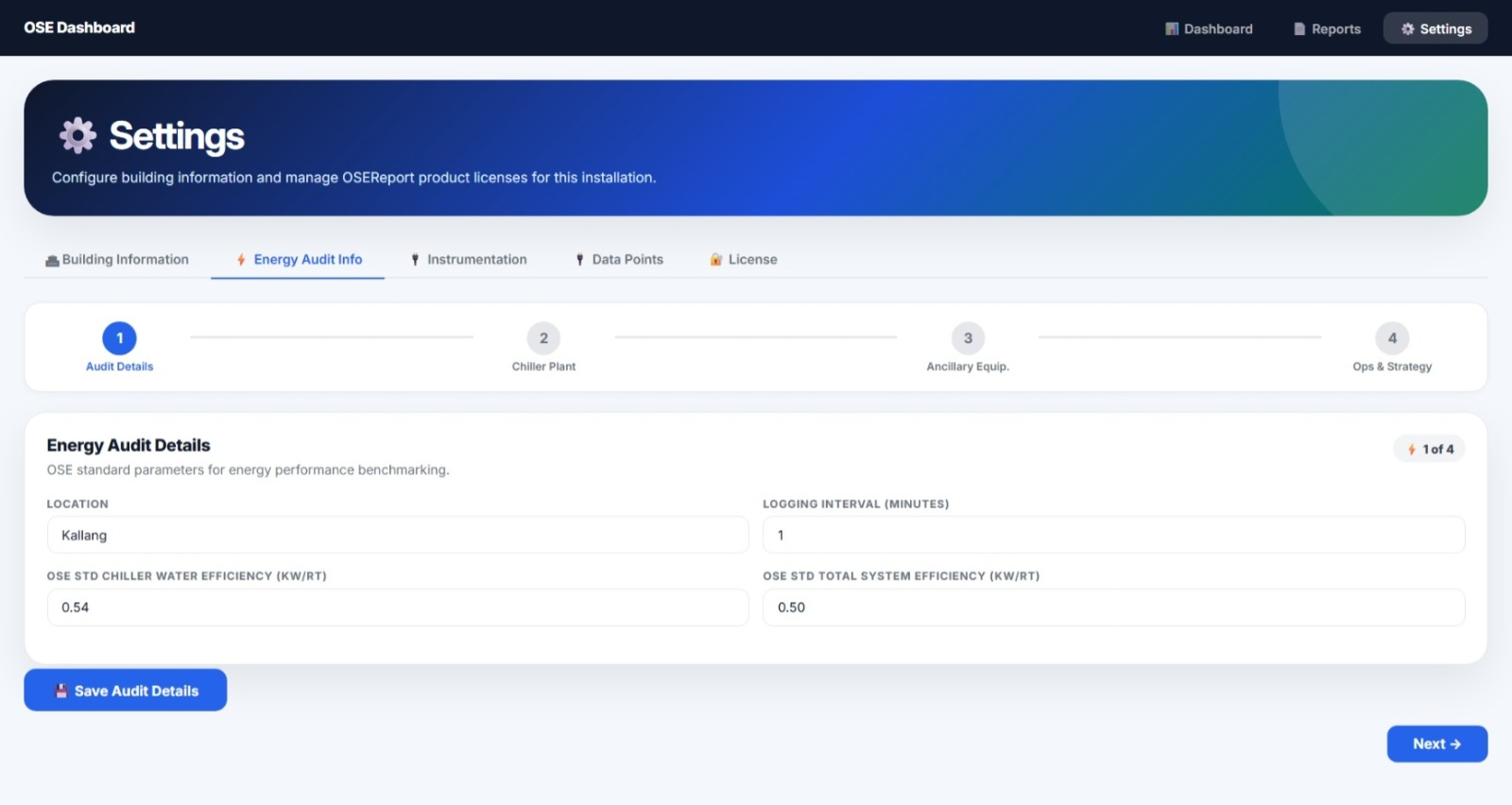
Standard output, configurable inputs.
Configure building details, audit parameters, chilled-water plant equipment, instrumentation and report-specific information through the application rather than rebuilding the workflow for every cycle.
Make your next OSE reporting cycle easier.
Talk to Wizard Engineering about connecting the application to your BMS, configuring the calculation workflow and preparing your site-specific OSE reporting setup.